Running Claude Code as an Always-On Agent on Windows
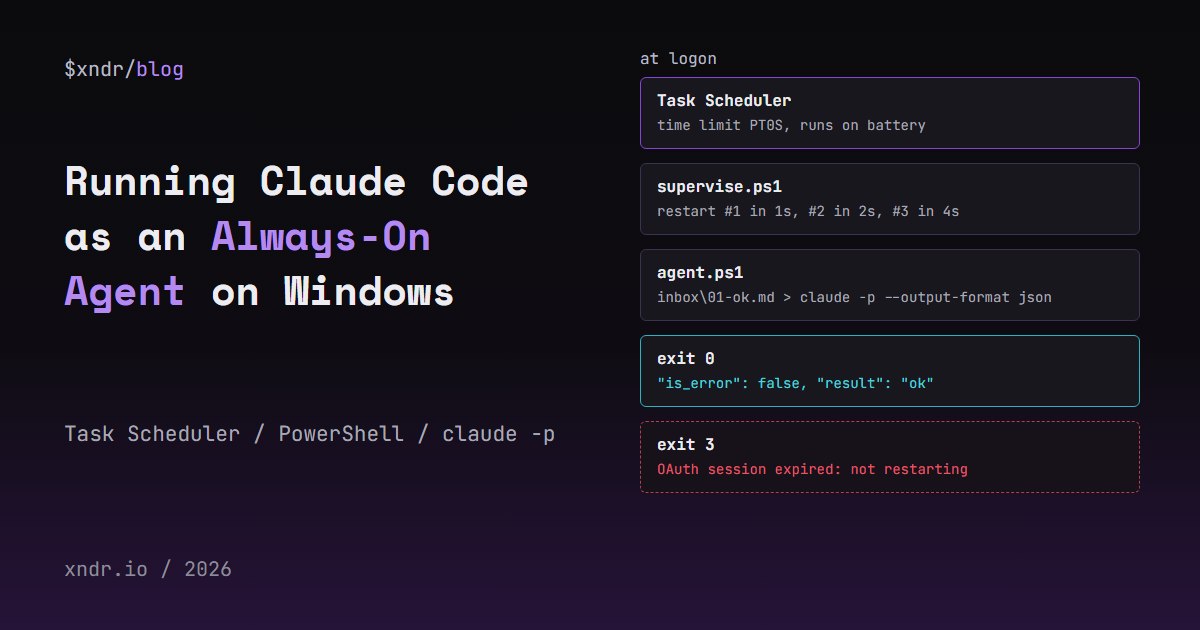
To run Claude Code unattended on Windows, do not try to keep an interactive session open. Run short claude -p jobs from a PowerShell loop, let a small supervisor restart that loop when it dies, and start the supervisor with Task Scheduler at logon with the time limit switched off. This post has the three scripts I tested on Windows 11 with Claude Code 2.1.296, what the scheduler's environment is missing compared with a terminal, the permission setting that let a command through that I expected to be denied, and what an expired login looks like when nobody is watching.
The Shape of an Always-On Agent
An interactive session needs a terminal and a person to answer prompts, and it ends when the window closes. What works unattended is a queue:
- Task files land in an
inboxfolder. agent.ps1runs each one throughclaude -p, writes the JSON result tooutboxand resumes the same session for the next, so the agent keeps its context.supervise.ps1restarts the agent with backoff when it exits and keeps the PC from sleeping.- Task Scheduler starts the supervisor when you log on.
Claude Code also has claude --bg for background sessions, but the CLI reference says it cannot be combined with -p. I did not test it here.
The scripts target Windows PowerShell 5.1, because powershell.exe ships with Windows and PowerShell 7 does not.
Headless Basics: claude -p, JSON and Exit Codes
claude -p runs one prompt and exits. With --output-format json it prints one JSON object. The headless docs say it exits 0 on success and non-zero on failure, that a bad flag goes to stderr, and that a failure inside the run, such as missing authentication, is printed as the result on stdout. This is the first job my scheduled agent ran, trimmed to the fields I use:
{
  "type": "result",
  "subtype": "success",
  "is_error": false,
  "result": "ok",
  "session_id": "6466e6c2-8c45-4c65-b59a-5c65757ad23f",
  "num_turns": 1,
  "duration_ms": 1871,
  "total_cost_usd": 0.043488399999999997,
  "terminal_reason": "completed",
  "permission_denials": []
}
The second job asked "Which word did you reply with in your previous answer?" with --resume and that session ID. It answered ok with the same session_id, and total_cost_usd rose to 0.0753, because a resumed run reports the whole conversation's cost. That cost is the client's estimate, not a bill.
The exit codes I measured:
- 0 for every successful job.
- 1 for
--output-format yaml, with nothing on stdout and this on stderr:error: option '--output-format <format>' argument 'yaml' is invalid. Allowed choices are text, json, stream-json. - 1 for an expired login, with
"is_error": trueand"subtype": "success"in the same JSON. Checkis_error, neversubtype.
One more thing I saw from a non-interactive Git Bash shell, with nothing piped in: Claude Code waited, then printed Warning: no stdin data received in 3s, proceeding without it. A scheduled job should never depend on what its stdin happens to be, so the agent below sends the prompt in on stdin from the task file.
The Agent Loop
This is agent.ps1. It assumes the native installer's location, %USERPROFILE%\.local\.
# agent.ps1: run every task file dropped in inbox\ through claude -p, one at a time.
# Windows PowerShell 5.1 compatible. Keep this file ASCII: 5.1 reads BOM-less files as ANSI.
param(
    [string]$Root = $PSScriptRoot,
    [string]$Claude = (Join-Path $env:USERPROFILE '.local\bin\claude.exe'),  # full path, never PATH
    [int]$PollSeconds = 15,
    [int]$JobTimeoutMinutes = 15
)
$ErrorActionPreference = 'Stop'

$dirs = @{}
foreach ($d in 'inbox', 'outbox', 'done', 'failed', 'logs', 'state', 'work') {
    $dirs[$d] = Join-Path $Root $d
    New-Item -ItemType Directory -Force $dirs[$d] | Out-Null
}
$log = Join-Path $dirs.logs 'agent.log'
function Log([string]$msg) { Add-Content -Path $log -Value ('{0:s} [agent {1}] {2}' -f (Get-Date), $PID, $msg) }

if (-not (Test-Path $Claude)) { Log "claude not found at $Claude"; exit 2 }

# Optional: a setup-token saved with DPAPI (only this Windows user can decrypt it).
$tokenFile = Join-Path $dirs.state 'token.dat'
if (Test-Path $tokenFile) {
    $sec = Get-Content $tokenFile | ConvertTo-SecureString
    $env:CLAUDE_CODE_OAUTH_TOKEN = (New-Object PSCredential 'token', $sec).GetNetworkCredential().Password
}

# Exit code 0 means logged in, 1 means not. Exit 3 tells the supervisor to stop retrying.
$auth = & $Claude auth status --json | ConvertFrom-Json
if ($LASTEXITCODE -ne 0) { Log "not logged in (authMethod=$($auth.authMethod)), exiting 3"; exit 3 }
Log "start cwd=$([Environment]::CurrentDirectory) authMethod=$($auth.authMethod)"

$sessionFile = Join-Path $dirs.state 'session.txt'
while ($true) {
    # Writers drop name.tmp and rename it to name.md when done, so we never read half a file.
    foreach ($task in @(Get-ChildItem $dirs.inbox -Filter *.md | Sort-Object Name)) {
        $flags = @('-p', '--output-format', 'json', '--safe-mode', '--setting-sources', 'project,local',
                   '--permission-mode', 'dontAsk', '--allowedTools', 'Read,Edit,Write',
                   '--max-budget-usd', '1')
        if (Test-Path $sessionFile) { $flags += @('--resume', (Get-Content $sessionFile -Raw).Trim()) }

        $out = Join-Path $dirs.outbox ($task.BaseName + '.json')
        $err = Join-Path $dirs.logs ($task.BaseName + '.stderr.txt')
        $sw = [Diagnostics.Stopwatch]::StartNew()
        # The prompt goes in on stdin: no quoting problems, and claude never waits for input.
        $p = Start-Process -FilePath $Claude -ArgumentList $flags -WorkingDirectory $dirs.work `
            -RedirectStandardInput $task.FullName -RedirectStandardOutput $out `
            -RedirectStandardError $err -NoNewWindow -PassThru
        $null = $p.Handle   # keep a handle so ExitCode is still readable after exit
        if (-not $p.WaitForExit($JobTimeoutMinutes * 60000)) {
            & taskkill.exe /PID $p.Id /T /F | Out-Null   # the whole tree, not just claude.exe
            Log "$($task.Name) timed out after $JobTimeoutMinutes min"
            Move-Item $task.FullName $dirs.failed -Force
            continue
        }
        $code = $p.ExitCode

        $r = $null
        try { $r = Get-Content $out -Raw | ConvertFrom-Json } catch { }
        $denied = @()
        if ($r -and $r.permission_denials) { $denied = @($r.permission_denials) }
        if ($code -eq 0 -and $r -and -not $r.is_error -and $denied.Count -eq 0) {
            Set-Content -Path $sessionFile -Value $r.session_id
            Move-Item $task.FullName $dirs.done -Force
            Log ('{0} ok ms={1} turns={2} cost={3}' -f $task.Name, $sw.ElapsedMilliseconds, $r.num_turns, $r.total_cost_usd)
            continue
        }
        if ($denied.Count -gt 0) { $why = 'denied: ' + (($denied | ForEach-Object { $_.tool_name }) -join ', ') }
        elseif ($r) { $why = $r.result }
        else { $why = 'no JSON on stdout, see ' + $err }
        Log ('{0} FAILED exit={1} ms={2} {3}' -f $task.Name, $code, $sw.ElapsedMilliseconds, $why)
        Move-Item $task.FullName $dirs.failed -Force
        if ($r -and $r.is_error -and $why -match 'authenticate|logged in|/login|API key') {
            Log 'auth problem: exiting 3 so the supervisor stops instead of retrying'
            exit 3
        }
    }
    Start-Sleep -Seconds $PollSeconds
}
Why it looks like this:
Start-Processwith file redirects instead of& claude. The task file is stdin, so the prompt never passes through PowerShell's argument quoting (more on that below), and stdout and stderr land in files. Reading$p.Handleonce matters: in PowerShell 5.1, acmd /c exit 7started this way reported an emptyExitCodewithout it and7with it.- A timeout that kills the tree.
taskkill /Talso ends any shell command Claude started. - Three checks per job: exit code,
is_errorandpermission_denials. A denied tool call still exits 0. - Exit code 3 for auth. Restarting cannot fix a dead login, so the supervisor stops.
In the scheduled run, the first two jobs took 3,154 and 3,148 ms end to end. A third job that created a file and ran whoami took 45,993 ms over 4 turns.
Permissions Without a Human: What Actually Got Denied
Four of the five top search results I read for this topic use --dangerously-skip-permissions. I wanted the opposite: deny anything I did not list. --permission-mode dontAsk does that, according to the docs: anything that would prompt is denied, except actions that need no approval anyway (file reads in the working directory and a set of read-only commands) and whatever your allow rules cover.
My first version did not have --setting-sources. I sent it the job "Run the shell command git init in the current directory". I expected a denial. It ran, exit 0, and created .git. The difference was our user settings.json, which holds allow rules from interactive use: those rules apply to -p runs too. --safe-mode did not change that: the CLI reference says it turns off CLAUDE.md, hooks, plugins, skills and MCP servers, while permissions "work normally".
With --setting-sources project,local added, so the user file is not loaded, the same kind of job was denied:
"result": "Nothing happened: the permission system denied the `git init repo2` command (Claude Code is in don't-ask mode), so repo2 wasn't created. ...",
"is_error": false,
"permission_denials": [ { "tool_name": "Bash", "tool_input": { "command": "git init repo2", ... } } ]
The exit code was 0 and is_error was false. Without the permission_denials check, the agent would have filed it as done.
I keep --safe-mode so interactive hooks and MCP servers do not fire from a scheduled job. The docs recommend --bare for scripts, but bare mode reads only ANTHROPIC_API_KEY or an apiKeyHelper, never a subscription login or CLAUDE_CODE_OAUTH_TOKEN; on API billing it is the cleaner choice. A repository's own .claude/settings.json still applies, so read it first.
The Supervisor
# supervise.ps1: keep agent.ps1 running, restart it with backoff, keep the PC awake meanwhile.
# Windows PowerShell 5.1 compatible, ASCII only.
param(
    [string]$Agent = (Join-Path $PSScriptRoot 'agent.ps1'),
    [int]$BaseDelay = 5,       # seconds before the first restart
    [int]$MaxDelay = 300,      # backoff cap
    [int]$MaxSeconds = 0       # 0 = forever; set it for a test run
)
$logDir = Join-Path $PSScriptRoot 'logs'
New-Item -ItemType Directory -Force $logDir | Out-Null
$log = Join-Path $logDir 'supervisor.log'
function Log([string]$msg) { Add-Content -Path $log -Value ('{0:s} [sup {1}] {2}' -f (Get-Date), $PID, $msg) }

# One supervisor per user session, however it was started.
$mutex = New-Object System.Threading.Mutex($false, 'Local\claude-agent-supervisor')
if (-not $mutex.WaitOne(0)) { Log 'another supervisor is running, exiting'; exit 0 }

# Ask Windows not to sleep while this process lives. Released automatically when it exits.
Add-Type -Namespace Native -Name Power -MemberDefinition '[DllImport("kernel32.dll")] public static extern uint SetThreadExecutionState(uint flags);'
$prev = [Native.Power]::SetThreadExecutionState([uint32]2147483649)   # 0x80000001: ES_CONTINUOUS | ES_SYSTEM_REQUIRED
Log "start cwd=$([Environment]::CurrentDirectory) keepAwake=$(if ($prev -ne 0) {'on'} else {'FAILED'})"

$stopFile = Join-Path $PSScriptRoot 'stop'
$started = Get-Date
$delay = $BaseDelay
$restarts = 0
$child = $null
try {
    while ($true) {
        $t0 = Get-Date
        $child = Start-Process powershell.exe -PassThru -NoNewWindow `
            -ArgumentList '-NoProfile', '-ExecutionPolicy', 'Bypass', '-File', ('"{0}"' -f $Agent)
        $null = $child.Handle
        Log "agent started pid=$($child.Id)"

        $reason = $null
        while (-not $child.WaitForExit(1000)) {
            if (Test-Path $stopFile) { $reason = 'stop file' }
            elseif ($MaxSeconds -gt 0 -and ((Get-Date) - $started).TotalSeconds -ge $MaxSeconds) { $reason = 'test time is up' }
            if ($reason) { & taskkill.exe /PID $child.Id /T /F | Out-Null; break }
        }
        if ($reason) { Log "stopping: $reason"; break }

        $ran = [int]((Get-Date) - $t0).TotalSeconds
        Log "agent exited code=$($child.ExitCode) after ${ran}s"
        if ($child.ExitCode -eq 3) { Log 'agent needs a human (auth). Not restarting.'; break }
        if ($ran -ge 600) { $delay = $BaseDelay }   # it ran a while: start the backoff over
        if ($MaxSeconds -gt 0 -and ((Get-Date) - $started).TotalSeconds + $delay -ge $MaxSeconds) { Log 'stopping: test time is up'; break }
        $restarts++
        Log "restart #$restarts in ${delay}s"
        Start-Sleep -Seconds $delay
        $delay = [Math]::Min($delay * 2, $MaxDelay)
    }
}
finally {
    if ($child -and -not $child.HasExited) { & taskkill.exe /PID $child.Id /T /F | Out-Null }
    Log "supervisor exit restarts=$restarts"
    $mutex.ReleaseMutex()
}
To test the restart logic without spending tokens, I pointed it at a stand-in agent that sleeps 2 seconds and exits 1, with -BaseDelay 1 -MaxDelay 8 -MaxSeconds 40. In 38 seconds it started the agent 6 times, with restart delays of 1, 2, 4, 8 and 8 seconds. A second supervisor started in the middle logged another supervisor is running, exiting and exited 0.
While it ran, powercfg /requests listed powershell.exe under SYSTEM; after it exited, the entry was gone. Microsoft's SetThreadExecutionState page is clear about the limit: it stops idle sleep, not a closed lid or the power button. Nothing in the test machine's power settings changed.
For the failure paths I replayed recorded outputs through both scripts with a stub in place of claude.exe: the denial went to failed as denied: Bash, the expired login made the agent exit 3, and the supervisor logged agent needs a human (auth). Not restarting. I added the denial and login checks last, so the final version of agent.ps1 has only run these replays and its start-up check for real. The same job loop, before those checks, ran three real jobs under the scheduler.
Starting It at Logon With Task Scheduler
# register-task.ps1: start supervise.ps1 at logon, as you, with no time limit.
param(
    [string]$TaskName = 'claude-agent',
    [string]$SupervisorArgs = ''   # e.g. '-MaxSeconds 150' for a test run
)
$root = $PSScriptRoot
$me = "$env:USERDOMAIN\$env:USERNAME"

$action = New-ScheduledTaskAction -Execute 'powershell.exe' -WorkingDirectory $root `
    -Argument ('-NoProfile -ExecutionPolicy Bypass -WindowStyle Hidden -File "{0}\supervise.ps1" {1}' -f $root, $SupervisorArgs)
$trigger = New-ScheduledTaskTrigger -AtLogOn -User $me
$principal = New-ScheduledTaskPrincipal -UserId $me -LogonType Interactive -RunLevel Limited
$settings = New-ScheduledTaskSettingsSet `
    -ExecutionTimeLimit ([TimeSpan]::Zero) `
    -AllowStartIfOnBatteries -DontStopIfGoingOnBatteries `
    -StartWhenAvailable -MultipleInstances IgnoreNew `
    -RestartCount 3 -RestartInterval (New-TimeSpan -Minutes 1)

Register-ScheduledTask -TaskName $TaskName -Action $action -Trigger $trigger `
    -Principal $principal -Settings $settings -Force | Out-Null
Get-ScheduledTask -TaskName $TaskName | Select-Object TaskName, State
The settings matter more than the trigger. A plain New-ScheduledTaskSettingsSet on the test machine returned ExecutionTimeLimit=PT72H, DisallowStartIfOnBatteries=True and StopIfGoingOnBatteries=True. So by default an always-on agent is killed after three days, and on a laptop it never starts on battery. My task read back PT0S, which, per the ExecutionTimeLimit docs, "will enable the task to run indefinitely".
Interactive logon means the task runs only while you are logged on, as you, with your profile. My session was disconnected (query user showed Disc), and the task still ran in it. I started the task with Start-ScheduledTask; I did not log off and on to fire the logon trigger itself.
Two things I did not do on this machine. A boot trigger that runs without a logged-on user needs a stored password or an S4U principal; I did not test how Claude Code behaves without an interactive session. A service wrapper such as NSSM needs installing, and a service runs as LocalSystem unless you change it, whose profile has no Claude Code login. A task at logon runs as you and needs nothing installed.
Stopping: Stop-ScheduledTask killed both the supervisor and the agent, but the supervisor's finally block never ran, so its last log line was missing. For a clean stop, create the stop file; the supervisor ends the agent and logs stopping: stop file.
Want more like this?
New posts in your inbox, a few a month.
What the Scheduler's Environment Lacks
I ran one diagnostic script from Task Scheduler and from my Git Bash shell. Under the scheduler:
- Working directory was
C:\WINDOWS\system32when the action had no-WorkingDirectory. That also decides which projectclaude --continuelooks in. - PATH had 25 entries, exactly the system plus user PATH stored in the registry. Git Bash had 42, adding its own folders such as
C:\Program Files\.Git\usr\bin bashdid not resolve.gitresolved toGit\cmd\git.exe, not themingw64copy Git Bash uses.clauderesolved because.local\binis in the user PATH.- No
HOME,TERM,SHELLorMSYSTEM, and with-NoProfile, nothing from your PowerShell profile or.bashrc.
Variables set in the Windows user environment did arrive. Claude Code's own Bash tool also worked from the task: the whoami job reported running it through Bash and getting the test account's user name. The setup docs describe CLAUDE_CODE_GIT_BASH_PATH for when Claude Code cannot find Git Bash.
Logins and Secrets That Outlive You
My first headless call for this post failed: from a shell without a token set, Claude Code used the stored /login, which had expired:
"is_error": true,
"result": "Failed to authenticate: OAuth session expired and could not be refreshed",
"terminal_reason": "api_error"
Exit code 1, after 124 ms of run time. With an empty config folder the result was Not logged in · Please run /login, and with a fake ANTHROPIC_API_KEY it was Invalid API key · Fix external API key with api_error_status 401. All exit 1. The agent's regex matches all three.
Under the scheduler, the agent logged authMethod=oauth_token: it picked up CLAUDE_CODE_OAUTH_TOKEN from the user environment variables. The authentication docs describe claude setup-token, which prints a one-year token for exactly this case, and the order Claude Code picks credentials in.
One catch: claude auth status exits 1 when nothing is configured, but with a made-up token it returned "loggedIn": true and exit 0. It does not validate the token. The start-up check catches a missing credential; the per-job is_error check catches a bad or expired one.
A user environment variable is readable by every process you run. For a file only your Windows account can decrypt, save the token with DPAPI once, in your own PowerShell window:
Read-Host 'token' -AsSecureString | ConvertFrom-SecureString | Set-Content .\state\token.dat
The agent loads it at start. My test was not interactive, so I wrote a dummy value with ConvertTo-SecureString -AsPlainText instead of Read-Host, in Windows session 0, and the scheduled task decrypted it in session 2: same 26 characters, a match.
Git Bash and PowerShell Traps
- Git Bash rewrites slash options.
schtasks /queryfrom Git Bash failed withERROR: Invalid argument/option - 'C:/Program Files/Git/query'., andpowercfg /requestsprintedInvalid Parameters. PrefixMSYS_NO_PATHCONV=1or run them from PowerShell. - PowerShell 5.1 strips embedded double quotes from native arguments. Passing
Summarize "notes.md" in one lineto an exe that prints its arguments gaveSummarize notes.md in one linein 5.1 and the quotes intact in PowerShell 7. Prompts belong in a file on stdin. - Keep scripts ASCII. 5.1 reads a UTF-8 file without a BOM as ANSI, which is behind Claude Code issue 90962.
When This Setup Fits
It fits a Windows PC that is on most of the time and a queue of small jobs: triage, reports, repository maintenance. To send it work from your phone, see our Telegram-to-CLI bridge post. If you need agents like this built for your team, see our services.
FAQ
Can Claude Code run in the background on Windows without a terminal open?
Yes. Run claude -p from a PowerShell script started by Task Scheduler with -WindowStyle Hidden. Each job is a short process; a supervisor script restarts the loop if it dies, and --resume keeps one conversation across jobs.
How do I stop claude -p from asking for permission in a scheduled task?
Use --permission-mode dontAsk with --allowedTools for what the job needs, instead of skipping all checks. Add --setting-sources project,local if your user settings hold allow rules from interactive use: in my test they let git init through. Check permission_denials in the JSON, because a denied run still exits 0.
Why does my scheduled claude -p job fail when it works in my terminal?
Under Task Scheduler the working directory defaults to C:\WINDOWS\system32, PATH holds only the registry entries, and nothing from your shell profile loads. Use full paths, set the action's working directory, and put tokens in the user environment or a DPAPI file. Also check that your login has not expired.
Does claude -p return an error code when authentication fails?
Yes, exit code 1 in my tests, for an expired OAuth login, no login and an invalid API key. The JSON has "is_error": true with the reason in result, while subtype still says success.
Should I run Claude Code as a Windows service?
Usually not. A service runs as LocalSystem unless you change it, whose profile has no Claude Code login, and it needs a wrapper such as NSSM. A Task Scheduler task at logon runs as you, with your login and environment, and needs nothing installed.
Related Articles
- Building a Telegram-to-CLI Bridge for Claude Code: send tasks to Claude Code from your phone.
- Using Claude Code to Diagnose and Fix Windows System Issues: more Windows-first notes.
- Fixing the Claude Code Chrome Extension on Windows: another Windows-only failure.
- XNDR services: we design and build AI agents and the automation around them.
Liked this one? Get the next in your inbox.
New posts and the odd product note, a few emails a month. Easy to leave.
